Monday, March 1, 2010

Customizing Read More in newer Blogger Posts


Now Blogger allows to use Read More option in New Blogger Post. Lets see how we can change the Read More Text to some other Text or image.

  • To Change the text Read More to your own text.
  • Go to Edit HTML page in Blogger.
  • Click Expand Widget Templates.
  • now search the below code or code similar to the below code.
<span class='more'><a expr:href='data:post.url + &quot;#more&quot;'>Read More</a></span>
  • Replace the Read More code to your desired Text
To change the text to an image then replace the red color highlighted Read More text to below code
<img src="IMAGELINK"/>

The Modified Code should look like this
<span class='more'><a expr:href='data:post.url + &quot;#more&quot;'><span style="color: red;"><img src="http://tech.buzz11.com/readmore.png"/></span></a></span>

Get more Read More icons. CLICK HERE

Sunday, February 21, 2010

Neono Green Blogger Template


Neono Green Blogger Template is a simple template without images, which helps in loading the page quickly. It supports Read More option of both the methods, that is the older Read More hack for blogger wich is done using the < span="fullpost"> and also supports the new Read More option in new Blogger Post.
It some times becomes a big task to host images, the bandwidth gets exceed and ultimately the blog looks bad in case of low bandwidth hosting.


Download

Features:

  • Zero Image Hosting.
  • Both Old and New Read More option supported.
  • Auto fit Sidebar height.
  • Embedded Comment Box below the Post.
  • Different Background for Post Author Comments.
  • Navigation Menu with Mouse over Effect  

Saturday, February 20, 2010

Stylish Older Post, Newer Post link in Blogger


Make the Older Post and Newer Post more beautiful just by applying border to it. To apply the Border to the link as shown in the Image just search for the line #blog-pager-newer-link { and #blog-pager-older-link { then post the below code exactly below them.
padding: 4px;
border: 1px solid #E23BEF;
The Modified code may look like this.
#blog-pager-newer-link {
padding: 4px;
border: 1px solid #E23BEF;
float: left;
}

#blog-pager-older-link {
padding: 4px;
border: 1px solid #E23BEF;
float: right;
}

Here #E23BEF is the Hexadecimal color code for pink. You can also just define color name like "border: 1px solid black;" for black color border.

Friday, February 19, 2010

Free Read More Icons


Free Read More buttons.
Read More options are mostly used in blogger for good looking. Make it more beautiful with the cool Icons with shadow effects and attractive color.


Download


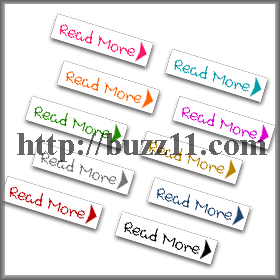
Handwriting style Read More Icon for blogger. Icon pack includes 10 icons of various colors with shadow effect

height: 34px
width: 108px


Download


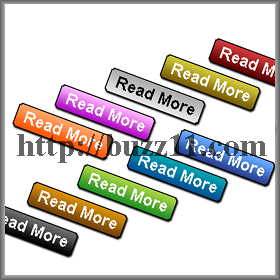
Tag style Read More Icon for blogger. Icon pack includes 10 icons with various background color in gradient effect including shadow effect


height: 29px
width: 104px


Download


Password to Extract the file: www.buzz11.com

Saturday, December 19, 2009

Stylish button generator


www.tabsgenerator.com allows you to create a stylish button with various options such as round edges, gradian effect and many more.
 

Androidirsh Blogger Template Designed by TechIrsH